

Professional
Automotive HMI
Ford & IEL - AI-Powered Interior Lighting Experience
Role
UX/UI Designer
Duration
10 months
Tools
Figma, Maze
Category
Automotive HMI
This project was developed in partnership with Ford Motor Company through the Inova Talentos Program (IEL Bahia).
Due to confidentiality agreements, product interfaces, technical documentation, implementation details, and internal business information cannot be publicly shared.
This case study focuses on my design process, research methodology, and key learnings while respecting those confidentiality commitments.
As the UX/UI Designer, I led the design activities throughout the project, collaborating with multidisciplinary teams to transform user insights into interaction concepts for an AI-powered interior lighting experience.
UX Research
Competitive Benchmarking
Information Architecture
Interaction Design
Prototyping
VR Usability Testing
Accessibility
Design Documentation
Stakeholder Presentations
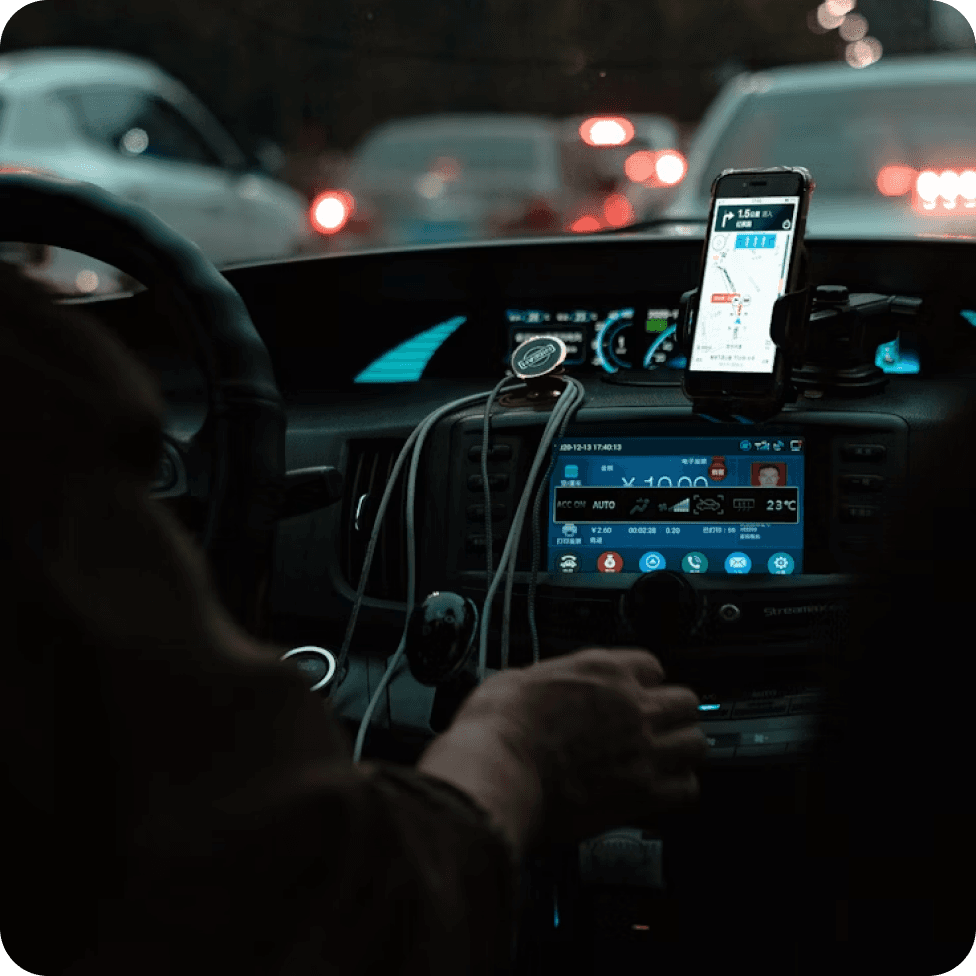
Designing digital experiences for vehicles presents a unique challenge. Unlike mobile or desktop products, drivers must divide their attention between the road, the vehicle, and the interface. Every design decision directly impacts safety, cognitive load, and the driver's ability to stay focused on the road.


Dynamic environments
Drivers constantly interact with changing road conditions and environmental factors, making context-aware interfaces essential.
Divided attention
Unlike mobile or desktop experiences, drivers must continuously switch attention between the road, mirrors, controls, and displays.
Speed & precision
Interactions must be completed quickly, requiring minimal cognitive effort and as few steps as possible without compromising safety.
Human factors & ergonomics
Controls, reachability, glance time, and physical ergonomics all influence how interfaces should be designed.
Designing within regulations
Automotive interfaces are not designed based solely on usability principles. They must also comply with international regulations intended to minimize driver distraction and promote safer interactions.
FMVSS 101
Reduce driver distraction through clear controls and understandable displays.
CMVSS 101
Ensure critical information and vehicle controls can be accessed quickly and safely.
UNECE R121
Standardize symbols and controls to improve consistency across vehicles and markets.
Interior lighting contributes not only to the vehicle's aesthetics, but also to comfort, accessibility and overall driving experience.
However, existing solutions often require repetitive manual adjustments and provide limited personalization, creating unnecessary interactions while the driver's attention should remain on the road. Our challenge was straightforward:
How might we reduce cognitive effort while making interior lighting smarter, more intuitive and personalized?
Understanding before designing
The combination of safety requirements, ergonomic constraints, and regulatory standards made one thing clear: assumptions weren't enough.
Every design decision needed to be backed by evidence. That's why we began with a deep discovery phase, using a human-centered design approach to understand user behaviors, pain points, and contextual challenges before exploring potential solutions.
empathize
define
ideate
prototype
test
Research methods
Benchmark: Understanding how existing automotive and digital products approached personalization and lighting experiences.
Survey: Collected responses from more than 1,000 participants to identify behavioral patterns and recurring pain points.
Qualitative Research: Explored user expectations, habits, and everyday driving experiences.
Literature Review: Reviewed Human Factors principles, automotive guidelines, and academic research to support design decisions.
Usability Testing: Validated concepts through iterative testing using immersive Virtual Reality simulations.
Research insights
Easier access
Users expected brightness controls to be more intuitive and easier to find during everyday driving situations.
Consistent brightness
Users preferred a more balanced brightness across different vehicle displays to improve visual comfort.
Comfortable night driving
The lighting should adapt to low-light conditions to reduce discomfort during nighttime driving.
Greater personalization
Users wanted more flexibility to customize the interior lighting according to personal preferences.
Opportunities
User need
What we learned
Design opportunity
Easy access
Users struggled to quickly locate brightness controls.
Simplify access to lighting controls.
Visual comfort
Inconsistent brightness affected the overall experience, especially at night.
Create a more visually consistent interface.
Nighttime usability
Low-light driving requires interfaces that minimize visual strain.
Adapt the experience to different lighting conditions.
Personalization
Users wanted more flexibility to tailor the experience to their preferences.
Explore AI-driven adaptive lighting.
During ideation, we explored multiple concepts to address the opportunities identified during research. Instead of focusing on a single solution, we generated different approaches that could improve personalization, accessibility, and overall driving comfort.
These ideas were later prioritized according to user value, technical feasibility and implementation effort.
Final concept
The project explored how Artificial Intelligence and Machine Learning could create a more adaptive lighting experience by learning user preferences over time, reducing repetitive interactions while improving comfort and accessibility.
Personalized: The system adapts to user preferences over time.
Effortless: Frequently used actions require fewer interactions.
Accessible: Controls are easier to locate and understand.
Consistent: Lighting behaves predictably across different contexts.
Why we prioritized AI?
Research showed that users wanted greater personalization without increasing interaction complexity, so we explored how AI could reduce the need for manual adjustments over time.
Bringing the concept to life
To validate interaction ideas before implementation, low and high-fidelity prototypes were created to simulate different user scenarios and evaluate the proposed concepts.