

Case study
Responsive web
Redesign
Lacrei Saúde - Appointment scheduling flow
Role
UI Designer
Duration
1 week
Tools
Figma
Category
Redesign
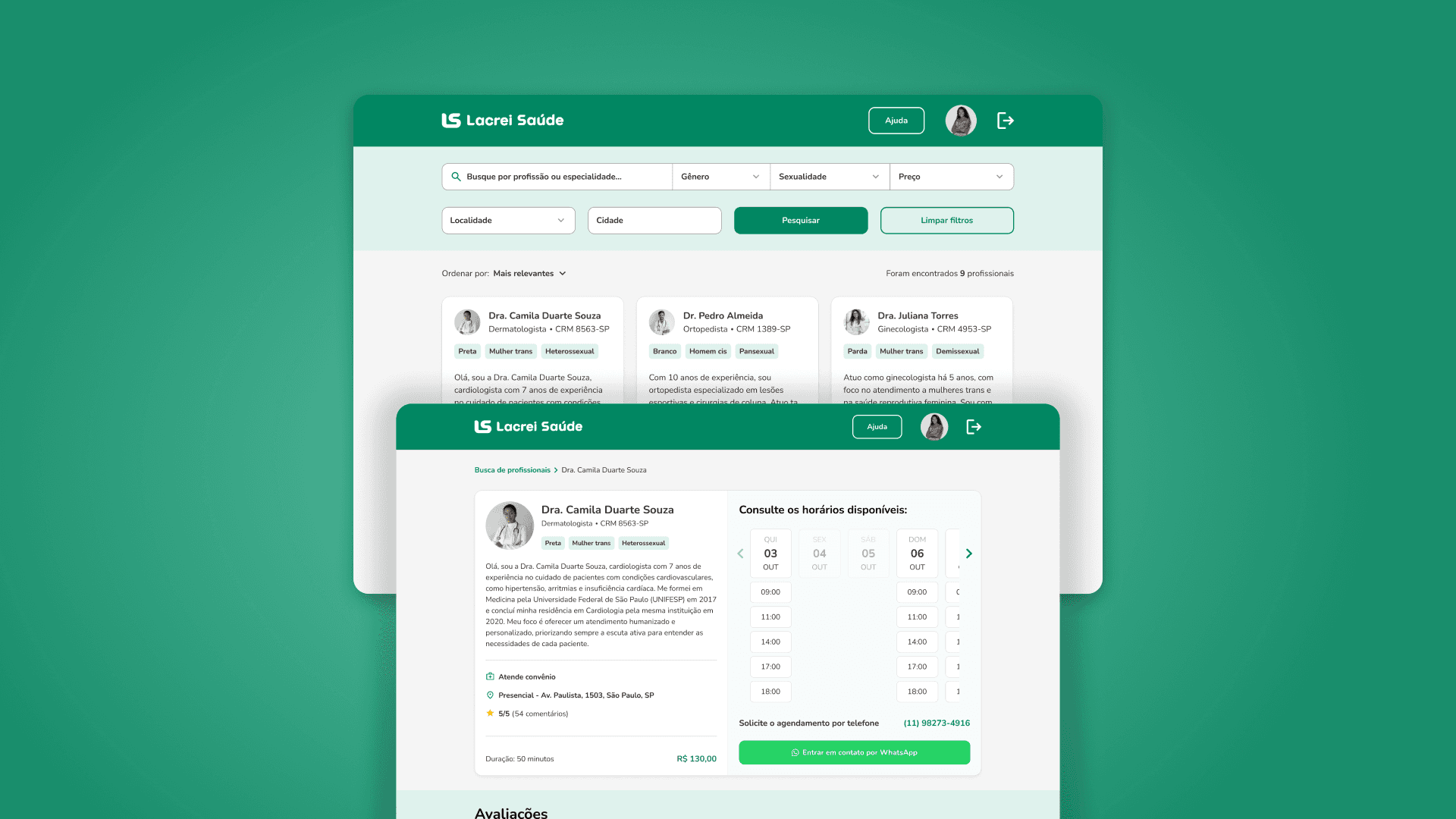
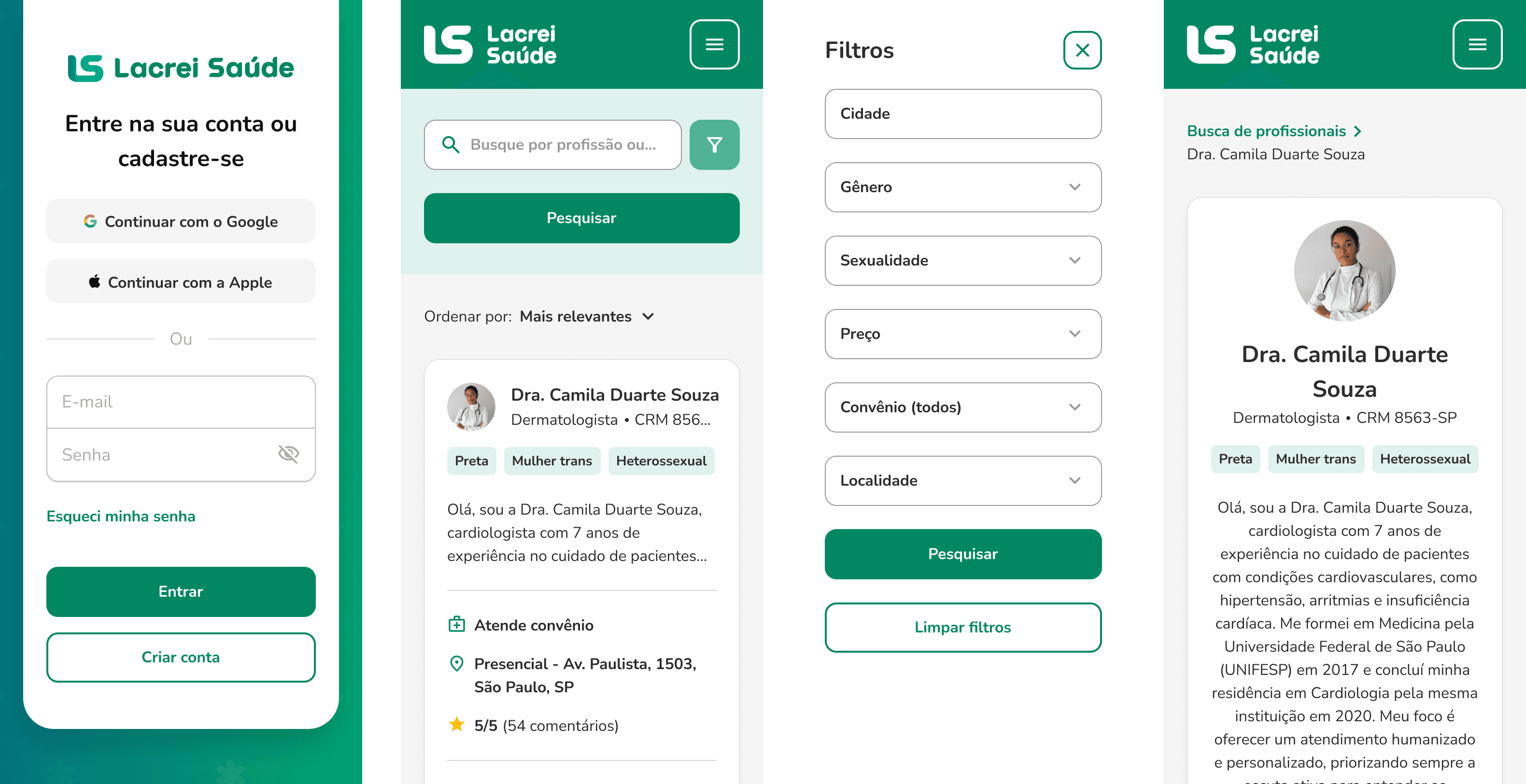
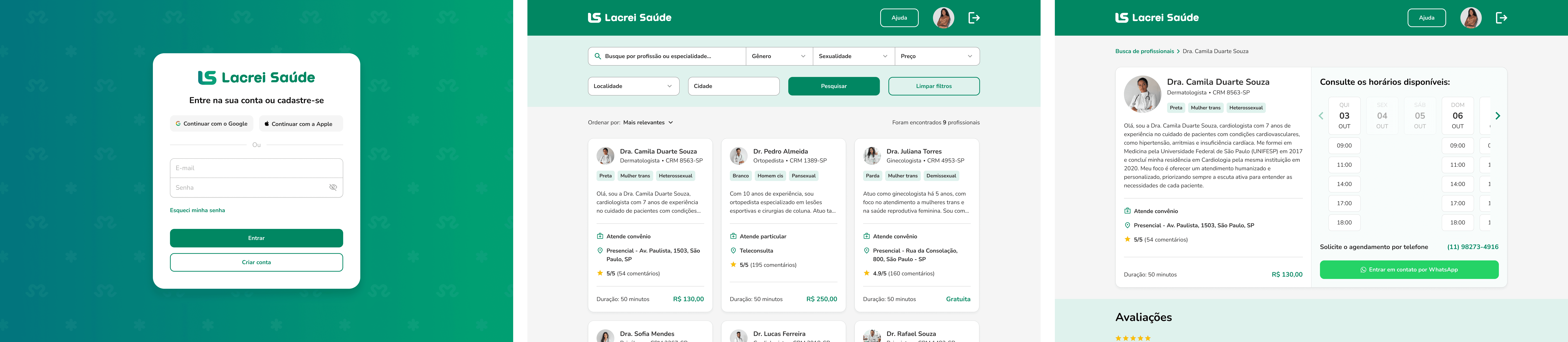
Consider a scenario in which you were selected to design the user journey and screen flow (web and mobile) for Lacrei Saúde, enabling users to log in, search for healthcare professionals by location, review the services offered, and get in touch to request an appointment.
The main actions users should be able to perform throughout this flow are:
Log in to the platform;
Access a healthcare professional’s profile;
Review the services offered by the professional;
View the professional’s phone number to request an appointment.
To support the construction of the flow and UI decisions, a reference analysis was conducted on platforms that offer healthcare search and appointment scheduling services, including Dr. Consulta, Agendar Consulta, AmorSaúde, and BoaConsulta.
The goal of this analysis was to identify established market patterns, best practices in information hierarchy, results organization, professional profile presentation, and clarity of contact actions.
These insights helped guide decisions related to information architecture and interface design, contributing to a more intuitive flow aligned with user expectations.
The interfaces were developed in Figma, following best practices in design and organization, including:
Use of Auto Layout to ensure responsiveness and scalability;
Creation of reusable components;
Interactive prototyping to simulate the real user experience of the flow.
All interface development followed Lacrei Saúde’s Design System, ensuring visual consistency, alignment with the brand’s identity, and closer adherence to a real-world implementation scenario. The use of the design system guided decisions around typography, colors, spacing, components, and states, contributing to a cohesive experience throughout the entire journey.
A key aspect of this project was the use of Figma variables to structure a dynamic filtering logic on the professional search page. This approach made it possible to simulate different filter combinations directly within the prototype, resulting in interactions that more closely resemble real product behavior. In addition to enhancing the prototyping experience, this solution supports flow validation and improves communication with technical teams in a real development context.
For a better experience, access the desktop prototype on Figma.